Two Sets of Books, One Agreed Position.
What your ERP says a partner is holding, and what the partner says they are holding, reconciled batch by batch — converted into one unit of measure before anything is compared, broken out by inventory status so held stock is never mistaken for free stock, and with every remaining difference either explained on the record or standing as an open question. Each run is kept, so the position on any past date can be produced again.
Request a DemoIn This Solution

Reconciled Batch by Batch
Your position beside the partner’s, with the difference computed.

Status-Level Truth
Unrestricted, quarantine, blocked and restricted held apart.

One Unit of Measure
Partner quantities converted before anything is compared.

Every Format Read
Each partner’s stock file taken in the shape they already produce it.

Any Past Date, Reproduced
Every run is kept and can be reported on later.
A Stock Number Is Not a Stock Position.
Sponsors own material sitting at partner sites, and the two organisations keep separate books on it. A partner reports a figure, a planner compares it against the ERP, and the two rarely agree — not because stock is missing, but because the two numbers were never built the same way in the first place.
Why Existing Approaches Fall Short

One Number, No Composition
A single on-hand figure hides what sits in quarantine, blocked or awaiting release. Material planning counts as available may not be usable at all.

Compared in Different Units
One side reports by weight, the other counts in thousands. The variance that comes out of the comparison is arithmetic, not a real gap in stock.

The Difference Without the Reason
A spreadsheet shows a gap and nobody can say why. The same gap is investigated again next cycle, because last cycle’s explanation went nowhere.
What It Costs Sponsors, CMOs and CDMOs

Sponsors
Planning and finance work from a stock position no one can stand behind, and the write-offs and expiries surface late.

CMOs and CDMOs
Every sponsor asks for the same stock position in a different shape, on a different cadence, and queries it in a different way.

Both Sides
The reconciliation is rebuilt by hand every period, and the reasoning that resolved it last time has to be reconstructed from memory.
Both Positions, Side by Side, in the Same Terms.
Collabrix reads the stock position from both sides, puts them into one unit and one structure, and reconciles them batch by batch — so what is left is a real difference with a reason against it.

Both positions on one row
Your batch sits beside the partner batch or batches mapped to it, with the difference between the two totals computed rather than eyeballed.

Status held apart, not summed away
Each inventory status is kept as its own quantity, whatever that partner calls it. The total is the sum of those statuses, and the quantity actually free to use is named separately.

Converted before compared
Partner quantities are converted to your unit of measure status by status, including material reported by weight against a unit counted in thousands — so a variance is never an artefact of the units.

One batch to many
Where a partner reports several of its own batches against one of yours, all of them are kept, summed against your batch, and openable underneath it.

Reasons that persist
An explanation entered against a difference stays with that row from one run to the next while the quantities behind it are unchanged, instead of being written out again each cycle.

Runs on your cadence, per partner
Each relationship carries its own reconciliation schedule, and every run is retained — so the position as it stood on a past date can be produced without rebuilding it.
A Stock Position Finance Can Sign.

A position that stands up
Finance and planning work from a reconciled figure with the differences explained, rather than from whichever file circulated last.

Free stock told from held stock
Quantity in quarantine, blocked or awaiting release is visible as such, so material is not planned against when it cannot be used.

Variance that means something
With units aligned and statuses matched, a difference on the report is a difference in the stock, not in how the two sides count it.

Less rework each cycle
Explanations persist across runs and past periods can be reproduced, so the reconciliation is not rebuilt from scratch every month.
How Inventory Collaboration Works.
From the stock file a partner already produces, to a reconciled position with the differences explained and the run kept.
Both sides report their stock
The sponsor inventory extract and each partner’s stock file are ingested on their own cadence, in whatever layout, language and file shape that partner already produces — no new template for the partner to adopt.
Codes and statuses resolve
Material codes are matched against the product master and each reported status is mapped to the statuses configured for that partner, without case or formatting causing a row to be dropped.
Quantities convert to one unit
Each status quantity is converted individually into your unit of measure, so the status columns still add up to the total on the same row and both sides are expressed in the same terms.
The reconciliation runs
On the schedule set for that partner, each batch is compared against the partner batches mapped to it, and the difference between the two totals is calculated. Quantity already committed against purchase orders is shown alongside, so free stock is clear.
Differences are explained and the run is kept
A reason is recorded against each difference and carried forward while the quantities hold. The run is retained and can be reported on later for any date, with the full status breakdown behind both totals.
Where Inventory Collaboration Happens.
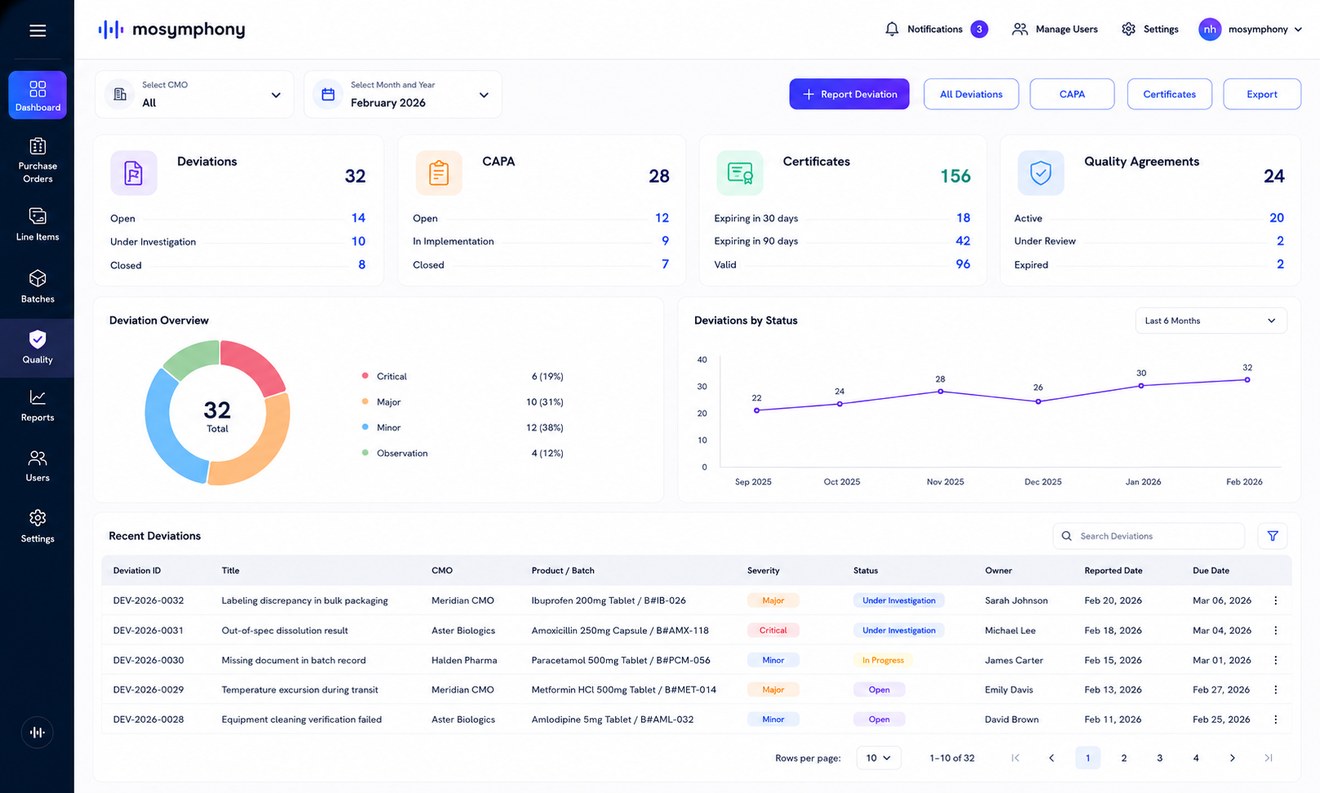
Three connected surfaces: your own inventory by batch and status, the partner-reported position with each partner batch openable beneath the batch it maps to, and the reconciliation itself — both totals, the committed quantity, the difference and the reason against it, with a report for any past run.
Standardized ingestion
Each incoming dataset is pre-processed into a standard message format, whatever system it came from.
Standardized outbound messaging
Outbound data leaves as a standard message, on defined triggers, to the systems that consume it.
Broad system integration
Data is drawn from ERP, MES, QMS and LIMS across the sponsor and partner estate.
Role-based governance
What a user can see, and what they can act on, are both controlled by role.
Related Solutions
Inventory Collaboration covers the stock position and its reconciliation. The neighbouring solutions cover the orders that commit it, the batches that consume it, and the shipments that move it.
Procurement Collaboration
Challenge
Procurement and changes handled over email cause misalignment.
Outcome
Partners stay in sync and procurement moves faster.

Manufacturing Collaboration
Challenge
Sponsors lack timely visibility into production at partner sites.
Outcome
Issues surface early, improving coordination and reducing delays.

Logistics Collaboration
Challenge
Shipment coordination relies on manual follow-up.
Outcome
Improved coordination and fewer delays.